Local-first cost console

Every cloud bill.
One machine.
Nowhere else.

CloudBridge reads AWS, Alibaba Cloud, and DeepSeek billing into one encrypted local database, then draws the trends. No sign-up, no sync, no telemetry.

Windows macOS · Intel & Apple Silicon Free & Open Source
AWS $182.40 ALIBABA $96.10 DEEPSEEK $12.00 LOCAL AES-256 THIS MONTH $290.50
sample data — cloudbridge.duckdb, encrypted at rest
03
Cloud Providers
100%
Local Storage
6h
Smart Caching
AES-256
Encryption

The dashboard

GPUI · native
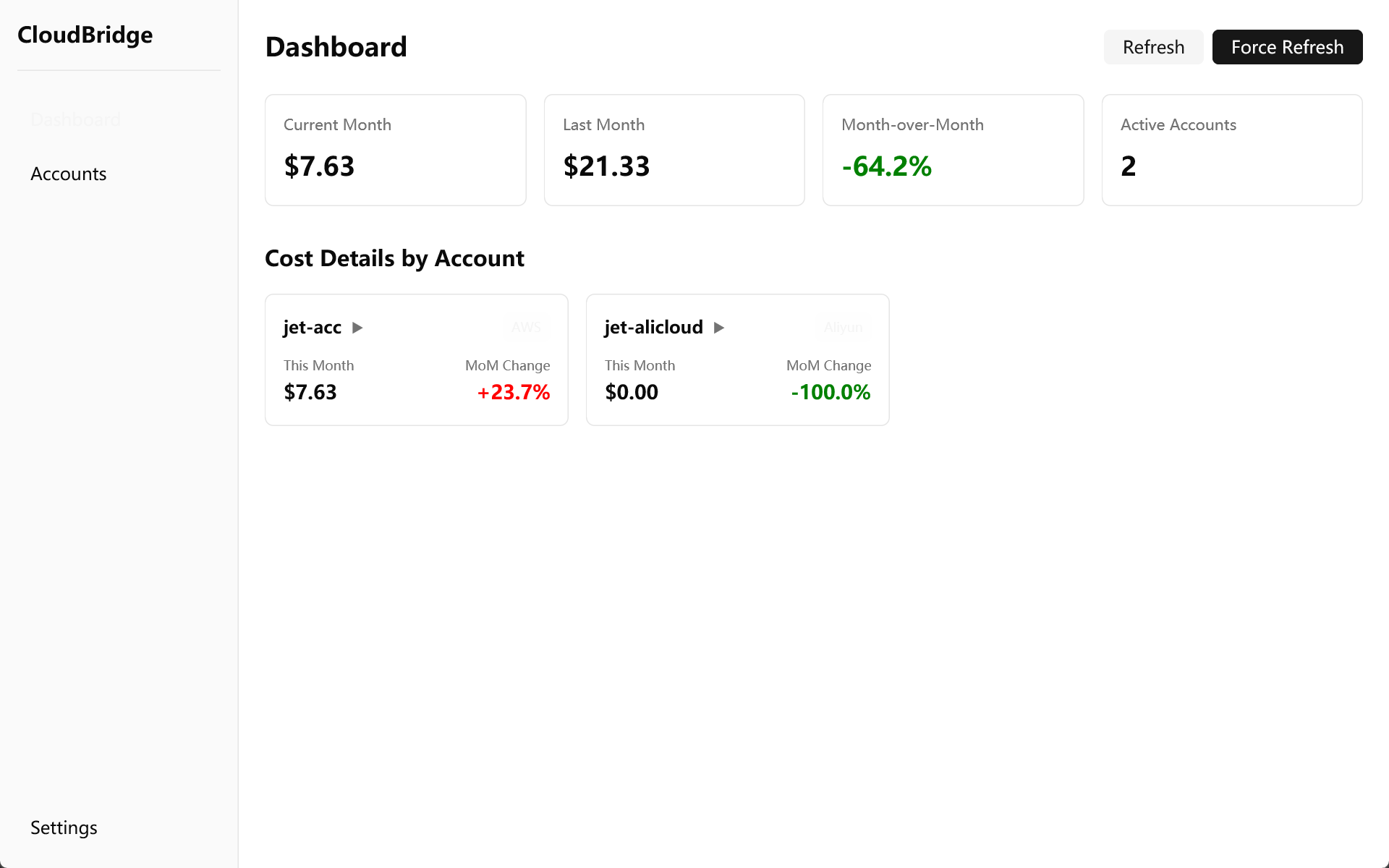
CloudBridge — Dashboard
CloudBridge dashboard showing monthly cost overview, per-service breakdown, and cost trend charts

Features

what it does
Multi-cloud

Three providers, one place

AWS, Alibaba Cloud, and DeepSeek balance tracking in a single dashboard. Azure and GCP are coming soon.

Charts

Cost visualization

Monthly overview, per-service breakdown, and 30-day trends — readable at a glance.

Security

Encrypted and local

AES-256-GCM encryption for all credentials. Your data never leaves your machine. No cloud sync, no telemetry.

Cache

Smart caching

Results are cached for 6 hours to minimize API calls — AWS bills Cost Explorer per request. Refresh manually anytime.

Interface

Modern UI

Built with GPUI, Zed's GPU-accelerated framework. Native performance, dark theme by default.

Analytics

Cost analytics

Daily totals, averages, highs, and lows, with month-over-month comparison.

How it works

three steps
01

Download & install

Download the build for your platform and run it. No installer, no sign-up.

02

Add cloud accounts

Enter your cloud provider credentials. They're encrypted with AES-256-GCM and stored locally on your machine.

03

Visualize costs

Open the dashboard for monthly totals and trends. Results are cached for 6 hours to minimize API costs.

Release manifest

free · open source · no account

Pick your platform:

Windows x64 cloudbridge-windows-x64.exe Download
macOS arm64 cloudbridge-macos-arm64.zip Download
macOS x64 cloudbridge-macos-x64.zip Download

Windows: SmartScreen may warn about unsigned executables. Click "More info" → "Run anyway" to proceed.

macOS: Unzip first, then run chmod +x cloudbridge-macos-* and launch from Terminal. If Gatekeeper blocks it, run xattr -cr cloudbridge-macos-* to remove quarantine flags.

Or browse all releases on GitHub.

FAQ

answers
Is CloudBridge free to use?
Yes! CloudBridge is completely free and open source under the MIT license. You only pay for your cloud provider's API costs (AWS Cost Explorer charges $0.01 per request; Alibaba Cloud and DeepSeek APIs are free).
How is my data secured?
All credentials are encrypted using AES-256-GCM before being stored locally. The encryption key is generated on your machine and stored in your local config file. Your data never leaves your computer except for direct API calls to your cloud providers.
Which cloud providers are supported?
AWS, Alibaba Cloud, and DeepSeek (balance tracking) are fully supported today. Azure and Google Cloud Platform support is planned for future releases — see the roadmap in the README.
What IAM permissions does CloudBridge need?
CloudBridge only needs read-only billing access. For AWS, attach a policy with the four Cost Explorer read actions; for Alibaba Cloud, attach the built-in AliyunBSSReadOnlyAccess policy. Ready-to-use templates and step-by-step instructions are in docs/policies.md.
Does CloudBridge work on Linux?
Native Linux builds are planned for future releases. Currently, CloudBridge supports Windows (x64) and macOS (Intel and Apple Silicon).
How often is cost data refreshed?
Results are cached for 6 hours by default to minimize API costs. You can refresh manually anytime by clicking the Refresh button.
Can I export my cost data?
Export functionality (CSV, PDF) is planned for version 0.3.0. For now, all cost data is stored in a local DuckDB database that you can query directly if needed.